

Installation & Setup
Prerequisites
- Administrative access to install plugins.
- Composer (if plugin dependencies are managed externally).
Installation Steps
- Copy the RunManuallyBundle into the application’s
plugins/directory. - Run the following command:
php bin/console mautic:plugins:reload - Log in to the application’s admin panel and navigate to Settings → Plugins.
- Locate the Run Manually Plugin and click Install/Update.
- Verify that the plugin is active.
- Clear the cache and run:
bin/console m:a:g
Working of the Plugin
- After installing the plugin, a new button Run Manually appears in both the list actions and detailed view of Segments and Campaigns.
- For list actions, users can select multiple segments or campaigns and trigger them manually from the UI.
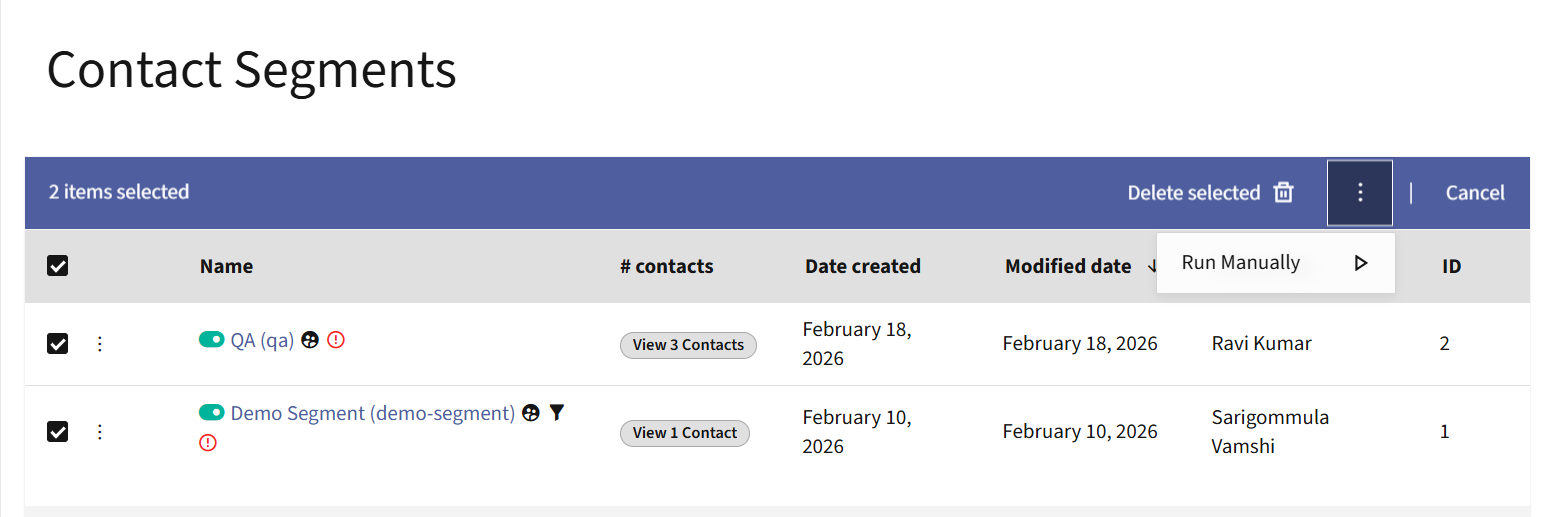
- In the detailed view, a dedicated button is available to manually trigger both segments and campaigns.
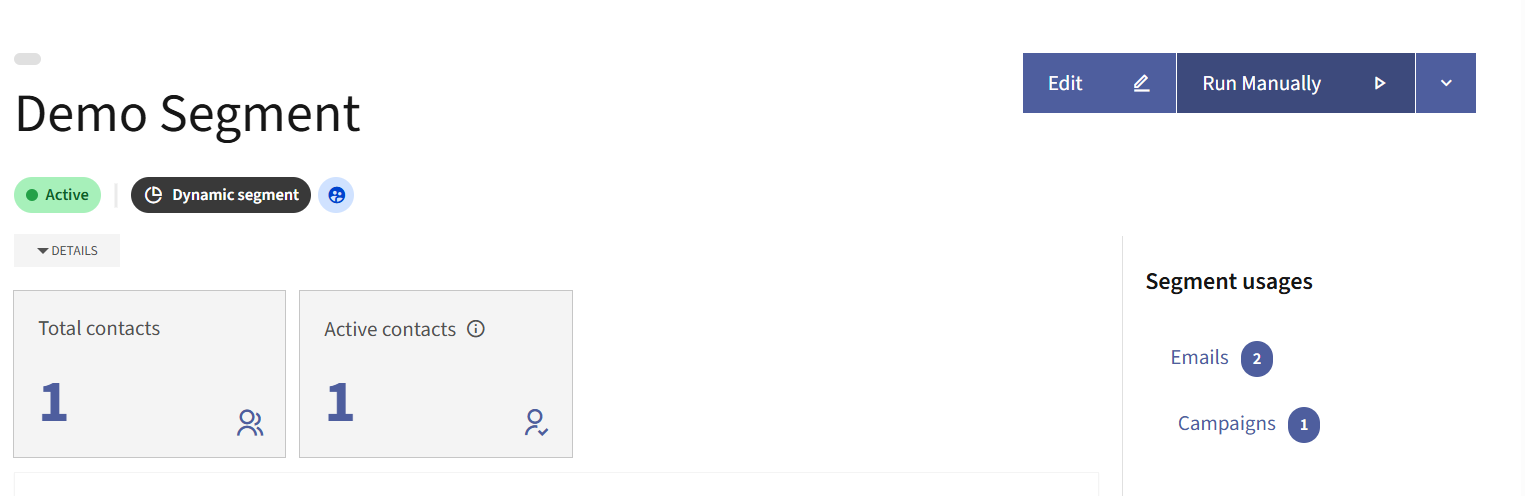
- Clicking the Run Manually button triggers the selected segment or campaign directly from the UI, eliminating the need to execute CLI commands for manual processing.